ColMap Reimagine Reality, Precision 3D from Any Angle
COLMAP is a widely used open source software designed for advanced Structure from Motion and Multi View Stereo reconstruction tasks. It processes a collection of overlapping images to automatically estimate camera positions, orientations, and sparse point clouds. After that, it generates dense 3D models with high accuracy.
0.02mm
Accuracy
150+
Citations/month
12 yrs
Active research
What is ColMap?
COLMAP is a free, open-source photogrammetry software that reconstructs 3D models from unordered photo collections. Developed at ETH Zurich, it combines cutting-edge computer vision algorithms with an intuitive interface.
Whether you’re an archaeologist preserving ancient ruins, a game developer creating environments, or a researcher pushing the boundaries of 3D vision, COLMAP provides the tools to transform photographs into accurate, detailed 3D representations.
3.9
Latest Version
C++
Core Language
Everything You Need for 3D Reconstruction
A complete photogrammetry toolkit from individual images to production-ready 3D assets.
Automatic SfM
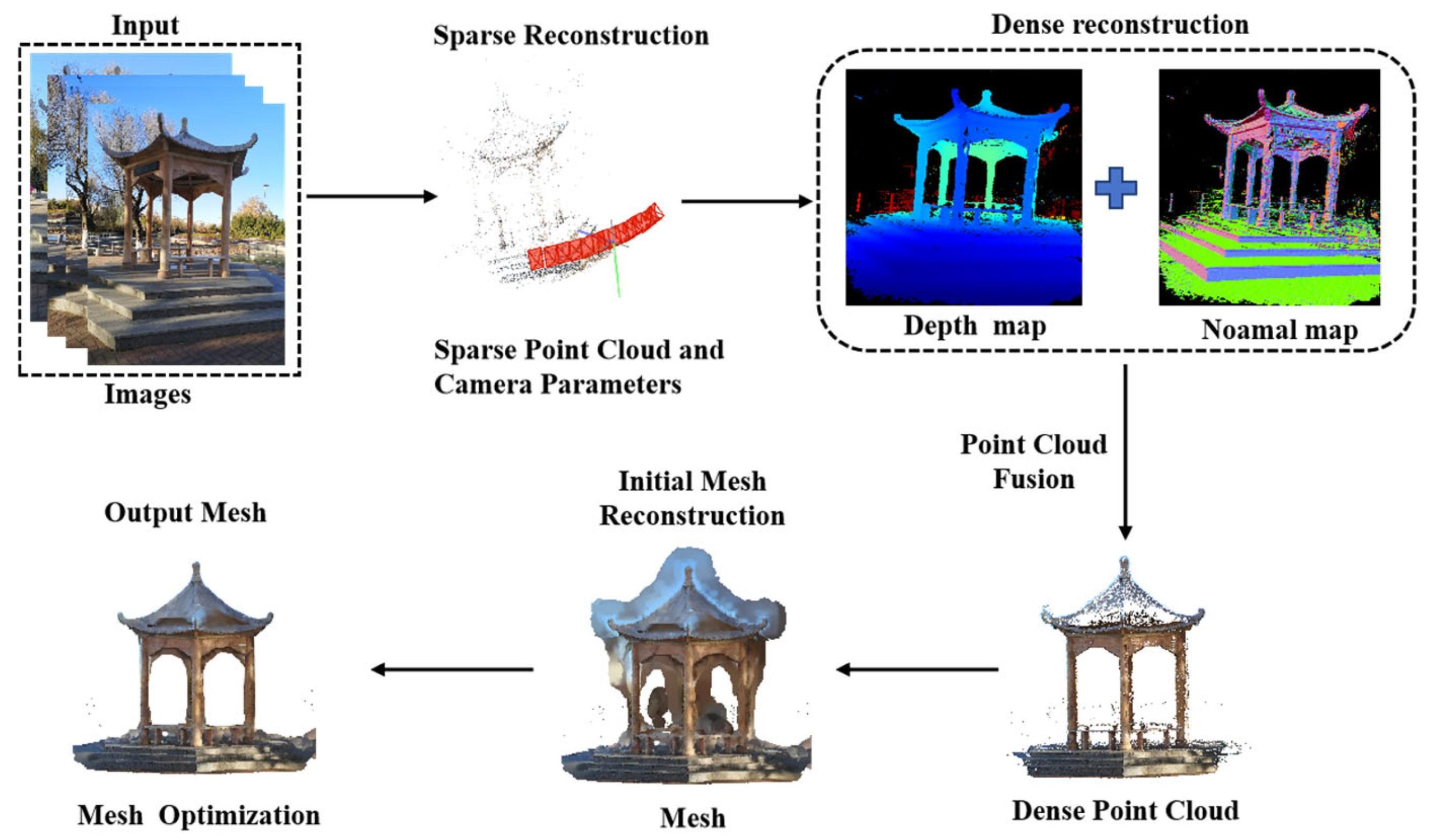
Automatic SfM in COLMAP allows users to reconstruct a sparse 3D scene without manual intervention. You simply provide a set of overlapping images, and the system automatically detects feature points, matches them across images, and estimates camera positions and orientations. It builds a sparse point cloud representing the structure of the scene. This process uses advanced optimization techniques like bundle adjustment, ensuring accurate reconstruction even in challenging conditions such as varying lighting or complex geometries.
Dense MVS
Dense MVS enhances the sparse output by generating a highly detailed and dense 3D representation of the scene. COLMAP uses algorithms such as PatchMatch Stereo and consistency-based depth fusion to compute depth maps for each image and combine them into a dense point cloud. This step captures fine surface details and textures, making it suitable for applications like cultural heritage preservation, gaming assets, and architectural modeling. The result is a realistic and visually rich 3D reconstruction.
Graphical Interface (GUI)
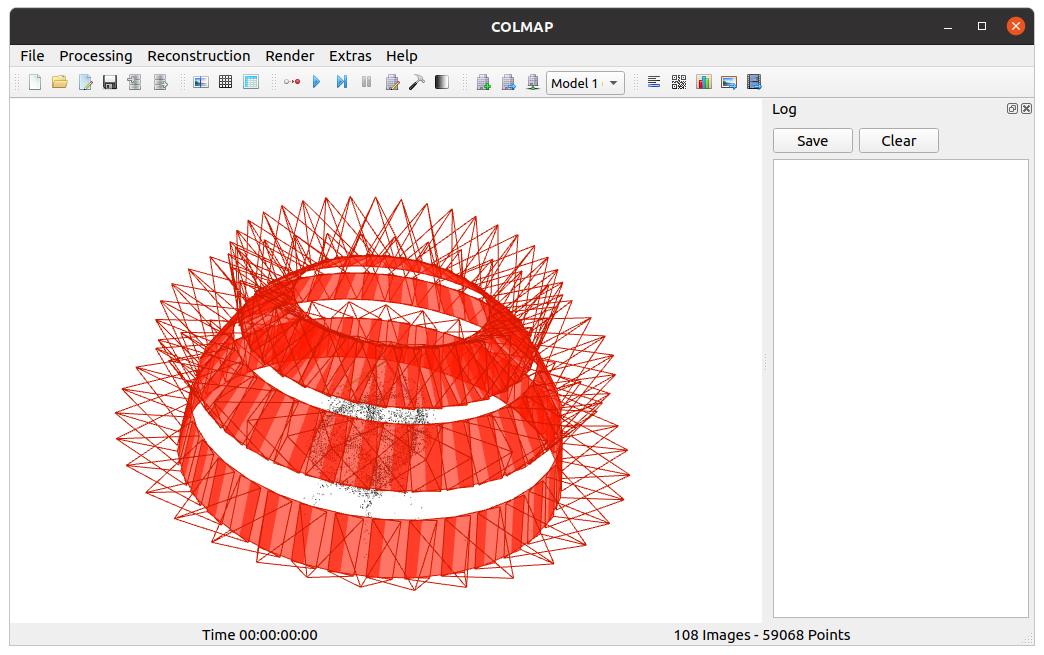
COLMAP provides an intuitive graphical user interface that allows users to visually inspect and manage reconstruction projects. Through the GUI, you can load images, monitor reconstruction progress, and interact with sparse or dense models. It also includes tools for manual alignment, point cloud editing, and camera visualization. This makes it especially helpful for beginners or users who prefer a visual workflow instead of command-line operations, while still offering powerful control over reconstruction steps.
CLI Power (Command Line Interface)
The command-line interface of COLMAP enables advanced users to automate workflows and process large datasets efficiently. With CLI, you can script every stage of the reconstruction pipeline, from feature extraction to dense reconstruction and export. This is particularly useful for batch processing multiple projects or integrating COLMAP into larger systems. It also supports execution on high-performance computing clusters, making it ideal for research environments and large-scale industrial applications.
GPU Acceleration
COLMAP leverages GPU acceleration using CUDA to significantly speed up computationally intensive tasks like feature matching and dense stereo reconstruction. Compared to CPU processing, GPU acceleration can provide speed improvements ranging from 10x to 50x, depending on hardware. This allows users to process large image datasets in a much shorter time. It is especially beneficial for high-resolution images and complex scenes, where traditional CPU-based processing would be too slow.
Multi Format Export
COLMAP supports exporting reconstructed data into multiple widely used formats such as PLY, OBJ, LAS, TXT, and binary files. This flexibility ensures compatibility with popular 3D software like Blender, MeshLab, and CloudCompare. Users can easily transfer models for further editing, visualization, or analysis. This makes COLMAP a versatile tool that fits seamlessly into professional pipelines across industries like animation, surveying, and virtual reality.
What the engine quietly does for you
Twelve years of careful engineering compressed into modules you can call from a graphical interface or a single shell command.
GPU Accelerated SIFT
GPU accelerated SIFT refers to the use of CUDA enabled graphics cards to perform Scale Invariant Feature Transform computations at extremely high speeds. Instead of relying on slower CPU processing, COLMAP executes feature detection and description in parallel across thousands of GPU cores.
Incremental and Global SfM
COLMAP provides two different approaches for Structure from Motion reconstruction: incremental and global. Incremental SfM builds the model step by step by adding one image at a time, which is highly robust and accurate, especially for unordered or noisy datasets.
Robust Bundle Adjustment
Bundle adjustment is a critical optimization step where COLMAP refines both camera parameters and 3D point positions simultaneously. It uses the Levenberg Marquardt algorithm implemented via Ceres Solver to minimize reprojection errors across millions of feature observations. This ensures that the reconstructed model is geometrically consistent and highly accurate.
Geo Registration
Geo registration allows COLMAP to align reconstructed 3D models with real world coordinate systems. It can use GPS data from EXIF metadata, external measurements, or surveyed ground control points to accurately position the model on a map. This capability is essential for applications like surveying, mapping, and geographic information systems.
Open Binary Format
COLMAP supports a variety of open and widely used data formats for both sparse and dense reconstructions, including PLY, NVM, Bundler, and its own native binary formats. These formats allow users to store detailed geometric and camera data efficiently while maintaining compatibility with external tools.
Scriptable Everywhere
One of COLMAP’s strongest capabilities is that every action available in the graphical interface is also accessible through the command line. This makes the entire workflow fully scriptable and automatable. Users can run reconstructions on headless servers, schedule batch jobs, or integrate COLMAP into larger processing pipelines.
How ColMap Works
Four straightforward steps from photos to a complete 3D model.
Import Images
Drop your photos into COLMAP. Supports JPEG, PNG, TIFF, and RAW formats with EXIF parsing.
Sparse Reconstruction
Automatic feature extraction, matching, and sparse point cloud with camera poses.
Dense Reconstruction
Multi-View Stereo produces a dense depth map for every image using PatchMatch.
Export & Use
Fusion and meshing creates a polygon mesh ready for 3D printing, AR/VR, or game engines.
Powerful GUI
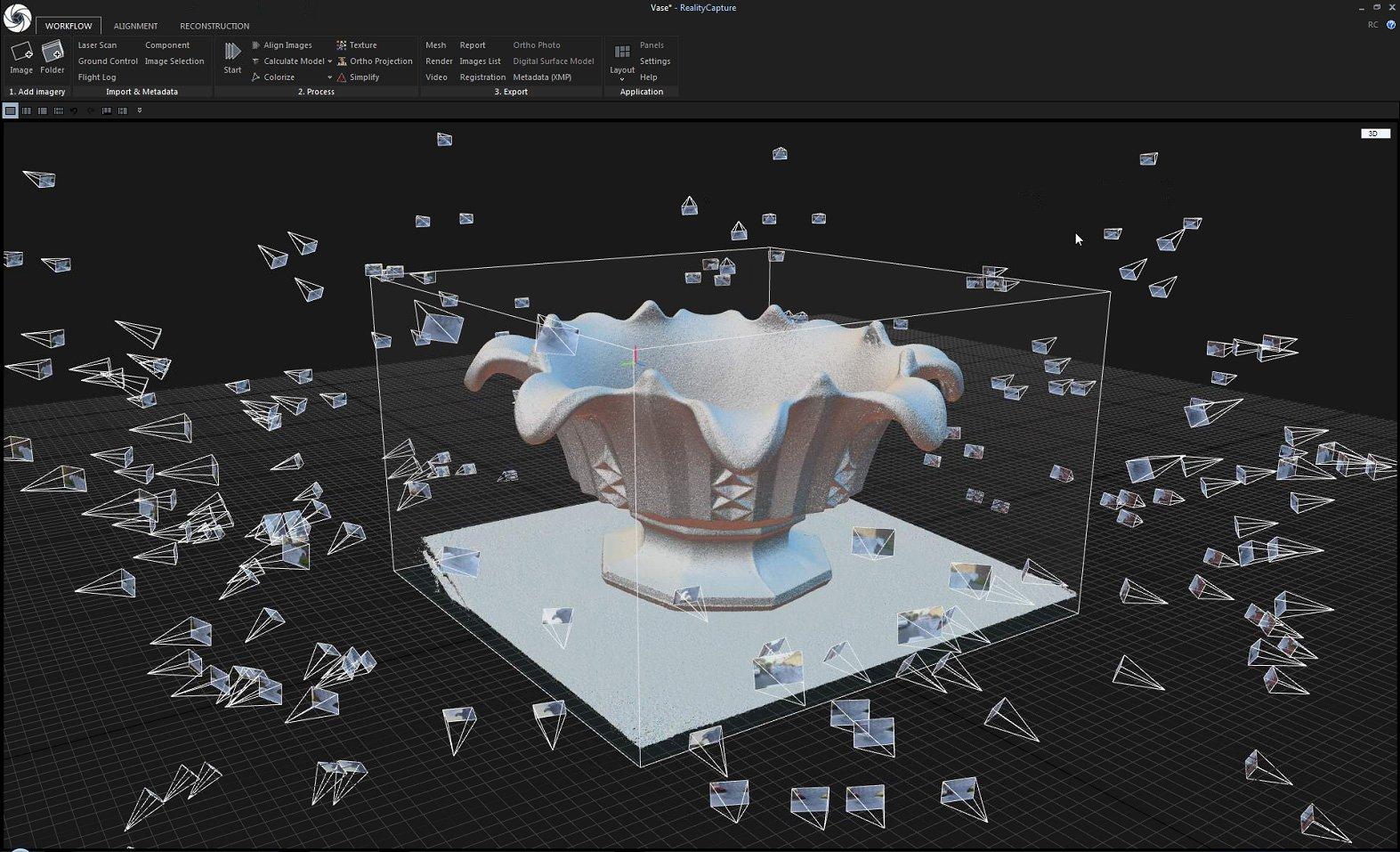
The COLMAP GUI provides a rich set of tools for inspecting, editing, and managing your 3D reconstruction projects.
3D Model Viewer
Orbit, pan, zoom through point clouds and meshes with real-time rendering.
Point Selection & Editing
Select, delete, and merge 3D points. Manually fix reconstruction errors.
Image Feature Viewer
See detected keypoints and matches overlaid on source images.
Camera Pose Inspector
Visualize frustums, adjust positions, and inspect calibration parameters.
ColMap Installation Guide
A step-by-step guide to installing and running COLMAP across different platforms.
Windows Installation
Download and extract the official COLMAP package, then run:
Verify installation:
Linux Installation
Launch the application:
macOS Installation
Run:
Quick Start
STRUCTURE FROM MOTION
Cameras, Rediscovered from pixels alone
Given hundreds of overlapping photographs, COLMAP recovers the precise position and orientation of every camera that produced them. No scanners. No markers. No metadata required.
- Two-view geometry verification through fundamental and essential matrices
- Triangulation refined by global bundle adjustment after every step
- Loop closure handling for trajectories that revisit familiar terrain
Trusted by visionaries
Smart Cities
Urban digital twins, infrastructure monitoring, change detection.
VFX & Animation
Hollywood-grade 3D scanning from drone/DSLR footage.
Construction
Progress tracking & volumetric analysis with millimeter accuracy.
Environmental
Forestry, glacier monitoring, and landmass mapping.
99.2%
reprojection accuracy (Tanks & Temples benchmark)
800+fps
real-time dense reconstruction on RTX GPU
50+
sensor formats supported (RGB, depth, thermal)
MULTI VIEW STEREO
Surfaces measured at the resolution of your sensor
After the sparse skeleton is established, PatchMatch propagates depth hypotheses across neighbours to produce a dense per pixel reconstruction faithful to the original photographs.
0.4 mm
Median accuracy on close range capture
8K
Maximum supported image resolution
200 M
Points fused on a single workstation
RGB + depth
Per view exports for downstream tools
Sparse Reconstruction
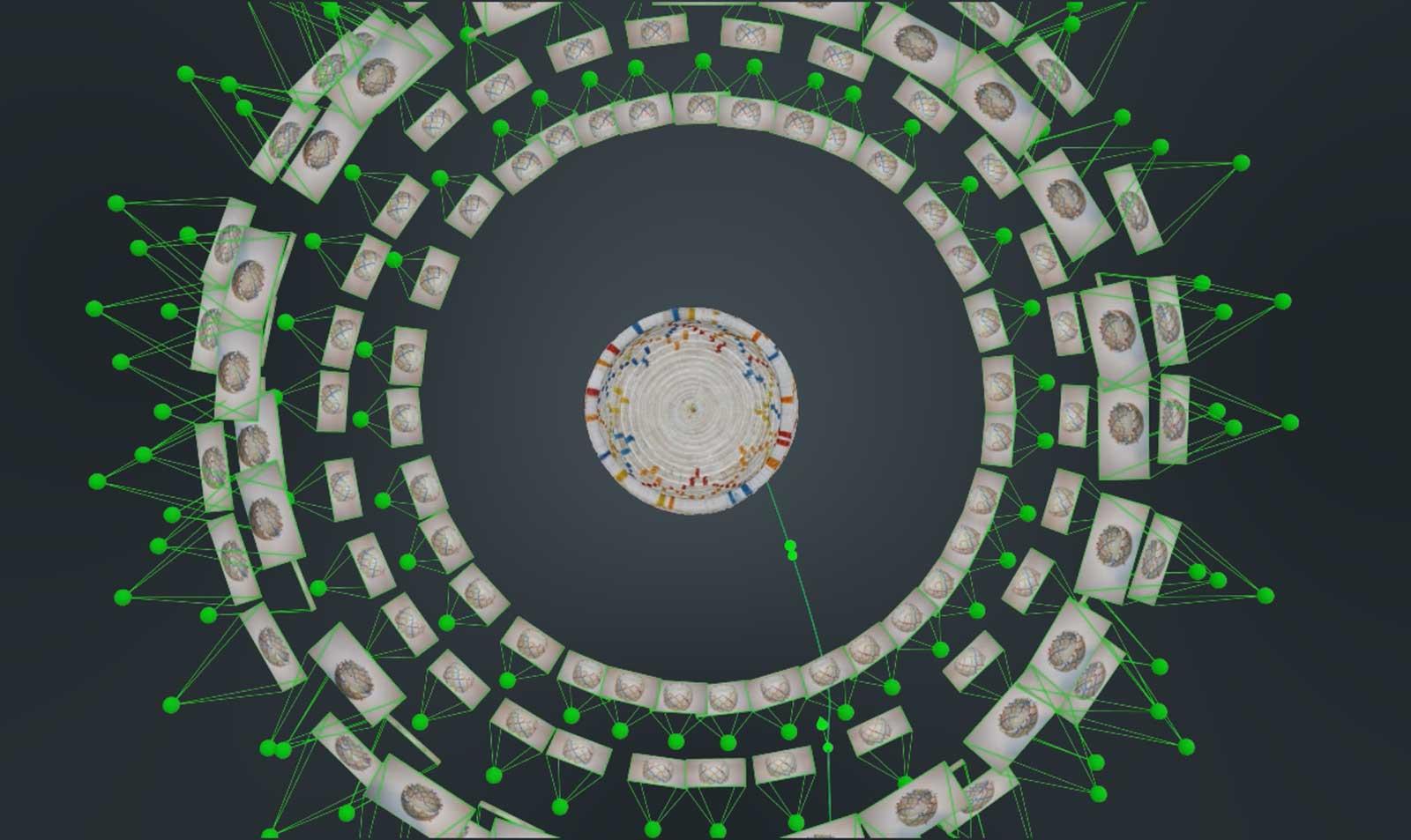
Using incremental Structure from Motion, COLMAP estimates camera positions, orientations, intrinsics, and a sparse 3D point cloud — all automatically and robustly.
- Incremental bundle adjustment with Ceres Solver
- Automatic re-triangulation of points
- Robust outlier rejection (LO-RANSAC)
- Shared intrinsics & stereo camera support
- Geographic alignment from GPS coordinates
BENCHMARKS
Numbers from real Datasets
Reconstruction times measured on a single workstation with an Nvidia RTX 4090 and 64 GB of memory.
What industry leaders say
Community & Integrations
COLMAP is at the heart of a thriving ecosystem of tools, plugins, and research projects.
NeRF / Gaussian Splatting
COLMAP camera poses are the standard input for Neural Radiance Fields and 3D Gaussian Splatting pipelines.
Blender Add-ons
Import COLMAP reconstructions directly into Blender with community-maintained add-ons for texturing and rendering.
Python API (PyCOLMAP)
Read/write COLMAP models in Python for seamless integration with ML pipelines and custom tooling.
WebODM Integration
COLMAP's algorithms power WebODM, the leading open-source drone mapping platform.
MeshLab / CloudCompare
Seamless export to popular point cloud and mesh processing tools for post-processing and analysis.
Academic Research
Over 1,200 citations across CVPR, ICCV, ECCV, and SIGGRAPH — the backbone of modern 3D vision research.
ColMap vs Alternatives
| Feature | COLMAP | Meshroom | OpenMVS | RealityCapture |
|---|---|---|---|---|
| Open Source | ✔ | ✔ | ✔ | ✘ |
| GUI + CLI | ✔ | ✔ | ✘ | ✔ |
| GPU Dense MVS | ✔ | ✔ | ✔ | ✔ |
| Free for Commercial | ✔ | ✔ | ✔ | ✘ |
| Vocabulary Tree Matching | ✔ | ✘ | ✘ | ✔ |
| Benchmark Accuracy | #1 | #4 | #2 | #3 |
Requirements
System Requirements
ColMap runs on modest hardware for sparse reconstruction. GPU is strongly recommended for dense MVS.
- Minimum (SfM)
- 4-core CPU
- 8 GB RAM
- 10 GB disk space
- Any GPU (optional)
- Recommended (MVS)
- 8+ core CPU
- 32 GB RAM
- 100+ GB SSD
- NVIDIA GPU (8GB+ VRAM)
- OS Support
- Windows 10/11
- macOS 12+
- Ubuntu 20.04+
- CentOS / RHEL
- Dependencies
- CUDA 11+ (GPU)
- Ceres Solver
- Qt 5/6 (GUI)
- CMake 3.16+
Frequently Asked Questions
Quick answers to the questions that arrive most frequently from new users and seasoned researchers alike.
What is COLMAP?
COLMAP is an open-source photogrammetry software used for 3D reconstruction from images using Structure-from-Motion (SfM) and Multi-View Stereo (MVS) techniques.
What is COLMAP mainly used for?
It is primarily used to generate 3D models, camera poses, and point clouds from a set of images.
Is COLMAP free to use?
Yes, COLMAP is completely free and open-source, including for commercial use.
Does COLMAP support both GUI and command line?
Yes, COLMAP provides both a graphical user interface (GUI) and a command-line interface (CLI).
What platforms does COLMAP support?
It supports Windows, Linux, and macOS operating systems.
Do I need programming skills to use COLMAP?
No, beginners can use the GUI, while advanced users can leverage the CLI for automation.
Is COLMAP suitable for beginners?
Yes, but understanding basic photogrammetry concepts will improve results significantly.
Features & Capabilities
What type of reconstruction does COLMAP provide?
COLMAP supports both sparse reconstruction (SfM) and dense reconstruction (MVS).
Does COLMAP support GPU acceleration?
Yes, GPU acceleration is supported for faster feature extraction and dense reconstruction.
What feature detection method does COLMAP use?
COLMAP uses SIFT (Scale-Invariant Feature Transform) by default.
Can COLMAP handle large datasets?
Yes, it is optimized to process large image collections efficiently.
What is vocabulary tree matching in COLMAP?
It is a fast image matching technique used to improve scalability for large datasets.
Does COLMAP produce textured 3D models?
COLMAP mainly produces point clouds; meshing and texturing are often done using external tools.
Is COLMAP accurate compared to other tools?
Yes, COLMAP is widely recognized for its high accuracy in academic and industrial benchmarks.
What is the basic workflow in COLMAP?
Feature extraction → Feature matching → Sparse reconstruction → Dense reconstruction.
What input does COLMAP require?
A set of overlapping images captured from different viewpoints.
How many images are needed for good results?
Typically, 20–100+ images depending on scene complexity and coverage.
Can COLMAP be used for drone mapping?
Yes, it is commonly used for aerial and drone-based photogrammetry.
How long does reconstruction take?
Processing time depends on dataset size, hardware, and whether GPU acceleration is used.
Can COLMAP be integrated into pipelines?
Yes, the CLI allows integration into automated workflows and scripts.
What are common issues beginners face?
Poor image overlap, low-quality images, and incorrect camera settings are common challenges.
ColMap – Powerful 3D Reconstruction and Mapping Tool
ColMap is a research-grade tool for 3D reconstruction, camera calibration, feature matching, and dense scene modeling from multiple images. #ColMap
Price: Free
Price Currency: $
Operating System: Windows, Mac, Linux
Application Category: Software
48