ColMap is widely recognized for its ability to reconstruct highly detailed 3D models from images, but performance often becomes a concern when working with large datasets. One of the most effective ways to improve speed and efficiency is through GPU acceleration, which allows the software to process complex computations faster than traditional CPU-only methods. Understanding how GPU acceleration works in ColMap is essential for achieving optimal performance.
ColMap leverages modern hardware capabilities to accelerate feature extraction, matching, and dense reconstruction processes. However, enabling GPU support depends on system compatibility, proper setup, and correct configuration. This article explains in detail how GPU acceleration works in ColMap, its benefits, requirements, and how users can enable it effectively across different systems.
Understanding GPU Acceleration in COLMAP
GPU acceleration refers to the use of a graphics processing unit to perform heavy computational tasks that would otherwise be handled by the CPU. In the context of COLMAP, GPU acceleration significantly speeds up various stages of the photogrammetry pipeline.
Unlike CPUs, which are optimized for sequential processing, GPUs are designed for parallel processing. This makes them ideal for handling tasks such as image feature detection and matching, which involve large datasets and repetitive calculations. By distributing workloads across thousands of GPU cores, COLMAP can complete operations in a fraction of the time required by a CPU.
GPU acceleration is especially beneficial when working with high-resolution images or large image collections. Without GPU support, processing such datasets can take hours or even days, while a properly configured GPU setup can reduce this time dramatically.
Key Processes That Use GPU in COLMAP
Not all operations in COLMAP rely on GPU acceleration, but several critical stages benefit significantly from it. Understanding these stages helps users appreciate where performance gains come from.
Feature Extraction
Feature extraction involves detecting key points in images that can be matched across multiple views. This step is computationally intensive and benefits greatly from GPU acceleration. With GPU support enabled, feature extraction becomes much faster, especially for high-resolution images.
Feature Matching
Feature matching identifies correspondences between images. This process requires comparing thousands of features across multiple images, making it highly suitable for GPU processing. GPU acceleration reduces matching time and improves efficiency in handling large datasets.
Dense Reconstruction
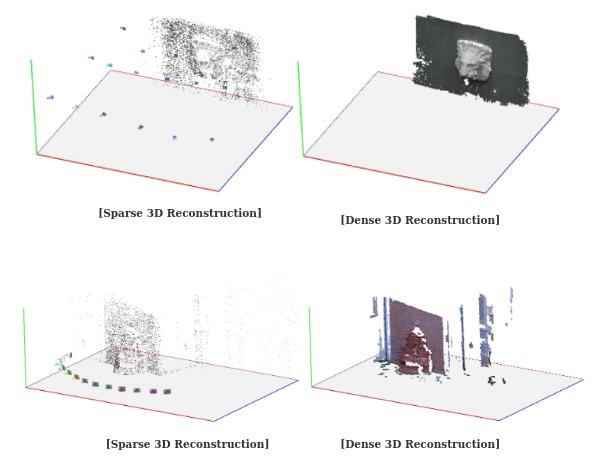
Dense reconstruction creates detailed 3D point clouds from matched features. This stage is one of the most resource-intensive processes in COLMAP. GPU acceleration allows for faster depth estimation and improves overall reconstruction speed.
Limitations of GPU Usage
While GPU acceleration enhances performance, not every part of COLMAP uses the GPU. Some stages, such as sparse reconstruction and optimization, still rely on CPU processing. Therefore, having a balanced system with both a strong CPU and GPU is ideal.
Benefits of GPU Acceleration in COLMAP
Enabling GPU acceleration provides several advantages that improve both workflow efficiency and output quality.
Faster Processing Speed
The most noticeable benefit is a significant reduction in processing time. Tasks that would take hours on a CPU can often be completed in minutes using a GPU.
Improved Workflow Efficiency
Faster processing allows users to experiment with different datasets and parameters more easily. This is particularly useful in research and development environments where iteration is important.
Better Handling of Large Datasets
GPU acceleration enables COLMAP to handle larger image collections without performance bottlenecks. This is essential for projects involving hundreds or thousands of images.
System Requirements for GPU Acceleration
To use GPU acceleration in COLMAP, your system must meet certain hardware and software requirements.
Compatible Graphics Card
COLMAP primarily supports NVIDIA GPUs with CUDA capability. This is because CUDA provides the parallel computing framework required for GPU acceleration.
Updated Drivers
Graphics drivers must be up to date to ensure compatibility and performance. Outdated drivers can cause errors or prevent GPU detection.
Sufficient Memory
Both system RAM and GPU memory play important roles. Large datasets require more memory for efficient processing.
Operating System Support
GPU acceleration is supported on Windows and Linux systems with compatible hardware. On macOS, GPU support is limited due to lack of CUDA compatibility on modern devices.
How to Enable GPU Acceleration in COLMAP
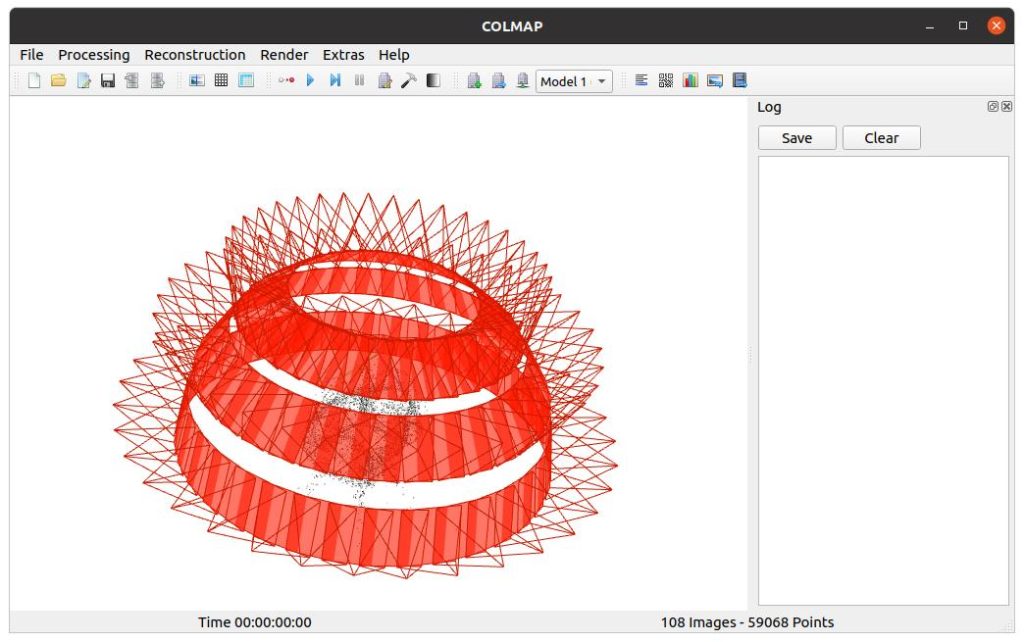
Enabling GPU acceleration in COLMAP does not necessarily require coding, especially when using the graphical interface.
Accessing the Settings
After launching COLMAP, navigate to the settings or preferences section within the graphical interface. This is where hardware configurations can be adjusted.
Enabling GPU for Feature Extraction
Within the feature extraction settings, select the option to use GPU. COLMAP typically detects available GPUs automatically, allowing you to choose the appropriate device.
Enabling GPU for Feature Matching
In the matching settings, ensure that GPU acceleration is enabled. This allows COLMAP to use the GPU for faster image matching.
Verifying GPU Usage
Once enabled, you can verify GPU usage through system monitoring tools. Increased GPU activity during processing indicates that acceleration is working correctly.
Platform Specific Considerations
Different operating systems have varying levels of support for GPU acceleration in COLMAP.
Windows Systems
Windows offers strong support for GPU acceleration, especially with NVIDIA GPUs. Most users can enable GPU features without additional configuration.
Linux Systems
Linux provides the most flexibility and often delivers the best performance. However, proper driver installation is crucial for GPU functionality.
macOS Systems
GPU acceleration is limited on macOS due to the absence of CUDA support on modern Apple hardware. As a result, COLMAP primarily relies on CPU processing on these systems.
Common Issues and Troubleshooting
Even with proper setup, users may encounter issues when enabling GPU acceleration.
GPU Not Detected
This issue often occurs due to missing or outdated drivers. Updating drivers usually resolves the problem.
Slow Performance Despite GPU
If performance remains slow, it may be due to incorrect settings or insufficient GPU memory. Adjusting parameters or reducing dataset size can help.
Compatibility Problems
Some older GPUs may not support required features. In such cases, upgrading hardware may be necessary.
Best Practices for Using GPU Acceleration
To get the most out of GPU acceleration in COLMAP, users should follow certain best practices.
Keep Drivers Updated
Regular updates ensure compatibility and optimal performance.
Monitor Resource Usage
Tracking CPU and GPU usage helps identify bottlenecks and optimize workflows.
Optimize Image Size
Reducing image resolution can improve processing speed without significantly affecting quality.
Balance Hardware Resources
A powerful GPU should be complemented by sufficient CPU and RAM to avoid performance limitations.
Advanced Considerations
For advanced users, additional optimization techniques can further enhance performance.
Multi GPU Setup
COLMAP can utilize multiple GPUs for certain tasks, providing additional performance gains.
Custom Configuration
Advanced users may adjust internal parameters to optimize processing for specific datasets.
Integration with Other Tools
COLMAP outputs can be integrated with other 3D software, making GPU acceleration even more valuable in larger workflows.
Future of GPU Acceleration in COLMAP
As hardware continues to evolve, GPU acceleration in COLMAP is expected to improve further. Newer GPUs offer better performance and efficiency, enabling faster and more detailed reconstructions.
Developers are also continuously optimizing algorithms to take advantage of modern hardware capabilities. This means future versions of COLMAP will likely offer even greater performance improvements.
Conclusion
ColMap supports GPU acceleration as a core feature that significantly enhances performance in key stages of the 3D reconstruction pipeline. By leveraging the power of modern GPUs, users can process large datasets faster, improve workflow efficiency, and achieve better results in less time.
Enabling GPU acceleration in COLMAP involves ensuring hardware compatibility, updating drivers, and selecting the appropriate settings within the software. While setup may vary across operating systems, the benefits remain substantial for users who require high performance and scalability.