COLMAP is a powerful open-source software tool that performs image-based 3D reconstruction. It combines Structure-from-Motion (SfM) and Multi-View Stereo (MVS) techniques to create accurate sparse and dense 3D models from collections of 2D photographs. Professionals and researchers use it widely because it handles both ordered image sequences and completely unordered photo sets without needing prior camera calibration data in most cases.
The software stands out for its robustness, flexibility, and high-quality results even with challenging real-world datasets. COLMAP supports a graphical user interface for interactive work and a command-line interface for automation and large-scale processing. Its modular design allows users to run individual pipeline stages or execute a fully automatic reconstruction with a single command.
Introduction to Image-Based 3D Reconstruction
Image-based 3D reconstruction converts ordinary photographs into measurable digital models of real-world scenes. The technique relies on finding correspondences between overlapping images and solving for camera positions and 3D point locations simultaneously. COLMAP automates this complex process while maintaining high accuracy through careful outlier rejection and global optimization.
Traditional photogrammetry required specialized equipment and manual measurements. Modern tools like COLMAP make the process accessible using consumer cameras or smartphone photos. Success depends on capturing images with sufficient overlap, varied viewpoints, and good texture. COLMAP excels in turning such image collections into detailed 3D representations suitable for visualization, measurement, and further analysis.
What Is COLMAP
COLMAP serves as a general-purpose Structure-from-Motion and Multi-View Stereo pipeline. It reconstructs 3D scenes and estimates camera poses from unordered or ordered image collections. The software offers both a user-friendly graphical interface and powerful command-line tools, making it suitable for beginners and experts alike.
Developed as an open-source project under a permissive BSD license, COLMAP has become a standard reference in computer vision and photogrammetry. It processes datasets ranging from a few dozen images of small objects to tens of thousands of photos covering large environments, such as city-scale reconstructions. Recent versions integrate advanced global SfM options like GLOMAP for improved scalability on massive datasets while preserving the accuracy of the classic incremental approach.
Core Components of COLMAP
COLMAP breaks the reconstruction workflow into clear, modular stages. Each stage builds on the previous one, allowing users to inspect intermediate results and fine-tune parameters when needed. The main components include feature extraction, feature matching, sparse reconstruction through SfM, and dense reconstruction through MVS.
The software stores all intermediate data in an SQLite database for efficient access and management. This design supports resuming interrupted processes and adding new images to existing models without starting from scratch. Users can export results in multiple formats compatible with tools like MeshLab, Blender, CloudCompare, or downstream neural rendering pipelines.
Understanding Structure-from-Motion (SfM)
Structure-from-Motion recovers the 3D structure of a scene along with camera motion from multiple images. The term “motion” refers to the changing positions of the cameras rather than movement inside the scene, which is assumed static. SfM solves for camera intrinsics, extrinsics, and 3D point coordinates by minimizing reprojection errors across all views.
COLMAP primarily implements an incremental SfM pipeline known for its robustness and accuracy. It also supports hierarchical and global approaches, with the recent integration of GLOMAP providing faster alternatives for very large collections. The incremental method starts small and grows the model step by step, periodically refining the entire reconstruction through bundle adjustment.
The SfM Pipeline in COLMAP
The SfM process in COLMAP follows three main stages that work together seamlessly.
Feature detection and extraction identifies distinctive keypoints in every image and computes descriptors that describe their local appearance. COLMAP defaults to the classic SIFT detector, which is robust to scale, rotation, and lighting changes. GPU acceleration speeds up this step significantly. Users can also choose learned features such as ALIKED for specific scenarios. Extracted features are stored in the project database along with camera model information derived from EXIF data or manual input.
Feature matching and geometric verification establishes correspondences between images. For small datasets, exhaustive matching compares every pair. Vocabulary tree matching efficiently finds overlapping pairs in large collections by representing images as bags of visual words. Sequential matching suits video or ordered captures, while spatial matching leverages GPS data when available. After initial descriptor matching, COLMAP applies RANSAC-based geometric verification using fundamental or essential matrices to filter outliers and confirm valid two-view geometries. This creates a reliable scene graph of image overlaps.
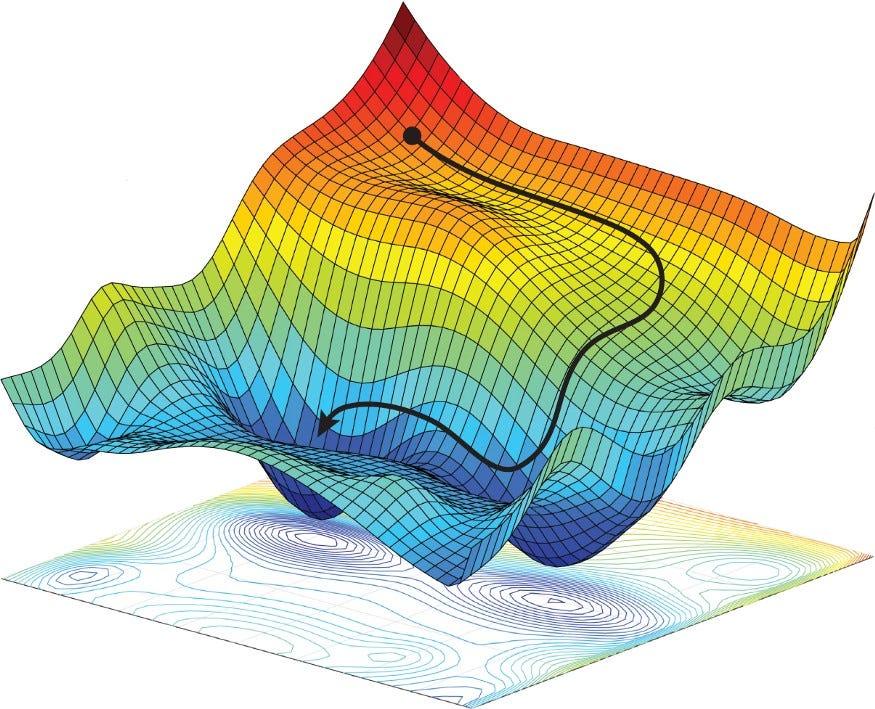
Incremental reconstruction builds the sparse model gradually. It begins with a robust initial image pair that shares many verified matches and good geometric conditioning. The algorithm estimates relative camera poses, triangulates initial 3D points, and then registers additional images one by one by solving the Perspective-n-Point problem. New points are triangulated from matched observations. Periodic bundle adjustment refines all camera poses and 3D points by minimizing total reprojection error. This non-linear optimization uses efficient techniques like the Schur complement to handle large problems. Outlier filtering based on reprojection thresholds and track lengths keeps the model clean. The result is a sparse point cloud with accurately estimated camera parameters for every registered image.
Multi-View Stereo (MVS) for Dense Reconstruction
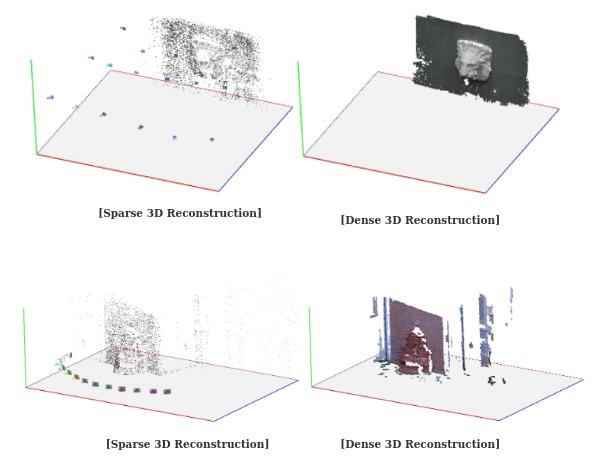
Multi-View Stereo takes the sparse SfM output and creates a detailed dense 3D model. While the sparse model contains thousands of points, dense reconstruction aims for millions of points by estimating depth at nearly every pixel.
The MVS pipeline starts with image undistortion. COLMAP corrects lens distortions using the camera parameters recovered during SfM, producing a set of rectified images. Next comes depth map computation using a PatchMatch stereo algorithm. This efficient method propagates depth hypotheses across neighboring pixels based on local patch similarity while considering multiple reference views. Pixel-wise view selection chooses the most suitable images for each target pixel to avoid occlusions and large baseline issues.
Depth map fusion merges the per-view depth and normal maps into a single consistent dense point cloud. The fusion process filters inconsistencies and outliers to produce a clean result. Users can then generate surface meshes through Poisson reconstruction or Delaunay triangulation. Optional mesh simplification using quadric error metrics reduces polygon count while preserving important details. Texturing maps colors from the original images onto the mesh, creating visually realistic models.
The entire dense stage benefits from GPU acceleration, though it remains memory-intensive for high-resolution images. COLMAP provides options to process data in batches or at reduced resolution during testing.
Supported Camera Models and Calibration
Accurate camera modeling is essential for high-quality reconstruction. COLMAP supports a variety of camera models, from simple pinhole projections to complex formulations that account for radial and tangential distortion. It also handles fisheye lenses and other specialized optics.
During reconstruction, COLMAP can perform self-calibration by estimating intrinsic parameters directly from the image data. This feature proves valuable for internet photo collections where calibration data is unavailable. When EXIF information is present, the software uses it to initialize focal lengths and other parameters. Shared intrinsics across image groups improve efficiency when multiple photos come from the same camera.
Bundle adjustment jointly optimizes intrinsics, extrinsics, and 3D points. Users can fix certain parameters if known with high confidence, reducing the chance of unstable solutions. Proper camera modeling becomes especially important for metric reconstructions where absolute scale and measurements matter. Additional data such as known distances or GPS tags can help recover real-world units.
Key Features and Strengths of COLMAP
COLMAP offers several advantages that have made it a preferred tool in both research and industry. Its incremental SfM pipeline delivers excellent robustness even with noisy or partially overlapping datasets. The software handles thousands of images effectively, as demonstrated by large-scale reconstructions like the central Rome model built from over 21,000 photos.
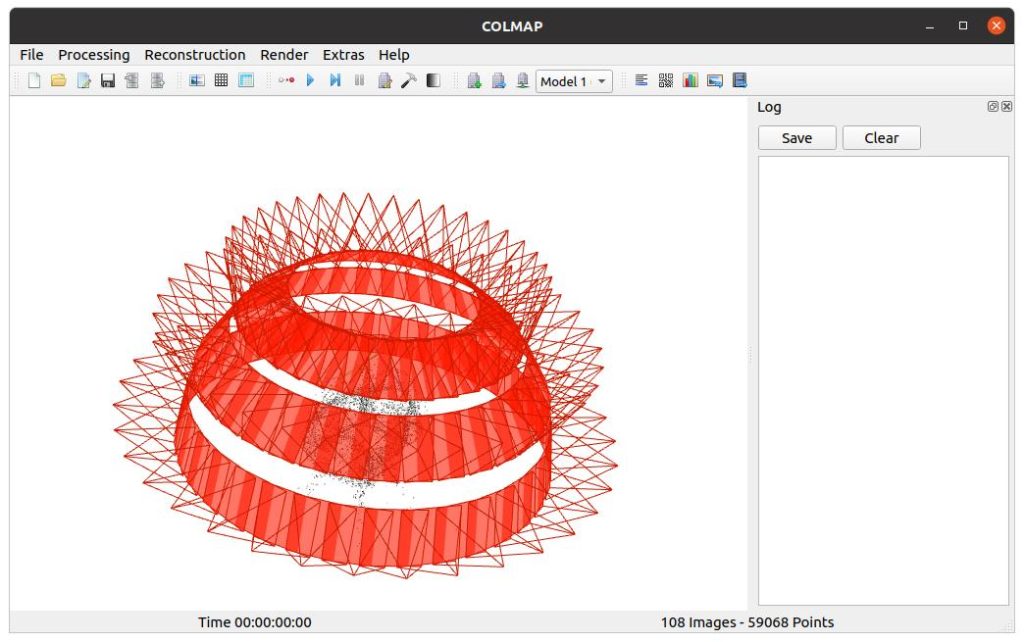
The dual interface design provides accessibility. Beginners use the graphical user interface to load images, run automatic reconstruction, and visualize results interactively. Advanced users automate workflows through command-line tools and scripting. GPU support accelerates feature extraction, matching, and dense stereo stages.
Modularity allows running only specific pipeline steps or adjusting parameters for difficult scenes. The project database supports incremental updates and easy inspection of intermediate data. Export options include various binary and text formats compatible with downstream tools. Recent additions like integrated GLOMAP global SfM improve scalability while maintaining compatibility with the classic pipeline.
COLMAP also supports advanced setups such as camera rigs and multi-camera systems. Python bindings through PyCOLMAP enable integration into custom research pipelines and machine learning workflows.
Practical Applications of COLMAP
COLMAP finds use across many domains where accurate 3D models from images are required.
In cultural heritage and archaeology, researchers create digital archives of monuments, artifacts, and excavation sites. The non-contact nature of photogrammetry preserves fragile objects while producing detailed records for restoration, virtual tours, and scholarly analysis. COLMAP has helped document historical buildings and stone towers with high fidelity.
Robotics and autonomous systems use COLMAP for environment mapping and visual odometry. The software helps build consistent maps from camera data, supporting navigation and localization tasks. Extensions like COLMAP-SLAM explore real-time capabilities for visual SLAM frameworks.
In visual effects and film production, COLMAP assists with camera tracking and scene reconstruction. Accurate camera poses and dense geometry integrate well with rendering pipelines for realistic compositing.
Architects, engineers, and surveyors apply COLMAP for as-built documentation, site surveying, and BIM integration. The resulting point clouds and meshes support measurements, planning, and quality control.
Emerging applications include feeding COLMAP outputs into neural rendering techniques such as Neural Radiance Fields or 3D Gaussian Splatting. The sparse and dense models provide strong geometric priors that improve training and rendering quality.
Best Practices for Using COLMAP
Successful reconstruction begins with good image capture. Aim for 60 to 80 percent overlap between neighboring views. Capture images from varied angles and distances to avoid degenerate geometries. Ensure consistent lighting and sufficient texture on surfaces. Low-texture areas like plain walls or reflective materials can reduce matching reliability.
Start with the automatic reconstruction command or GUI workflow to obtain initial results quickly. Inspect the sparse model to check registration coverage and identify any unregistered images. Add more photos or adjust matching parameters if needed.
For large datasets, use vocabulary tree matching and consider global SfM options for faster initialization. Run bundle adjustment frequently during incremental reconstruction to control drift. In the dense stage, monitor GPU memory usage and adjust resolution or patch parameters accordingly.
Export intermediate models regularly. Use external tools for advanced meshing or texturing when COLMAP defaults require refinement. Always verify scale and accuracy against known measurements when metric results are important.
Advantages and Limitations
COLMAP delivers state-of-the-art accuracy and robustness in many scenarios, particularly for unordered photo collections. Its careful outlier rejection and global optimization produce clean, consistent models. The open-source nature and active community ensure ongoing improvements and integration with new techniques.
However, the software can be computationally demanding for very large or high-resolution datasets. Processing time increases with image count and resolution, though GPU acceleration helps. COLMAP may struggle with scenes that have extreme lighting variations, repetitive patterns, or very low texture. In such cases, manual parameter tuning or additional images become necessary.
Getting Started with COLMAP
Download COLMAP from the official GitHub repository or use pre-built binaries for major platforms. The documentation provides detailed installation instructions for Windows, Linux, and macOS. Sample datasets on the project website help users test the software quickly.
Begin by creating a new project in the graphical interface and adding your image folder. Run feature extraction followed by matching using the appropriate mode for your dataset. Start the incremental mapper to generate the sparse model, then proceed to dense reconstruction.
Experiment with individual commands through the command line for automation. Explore the database viewer to inspect features and matches. As comfort grows, customize parameters for specific challenges such as wide-angle lenses or outdoor scenes with varying illumination.
Conclusion
COLMAP remains one of the most reliable and widely adopted tools for turning collections of photographs into high-quality 3D models. Its combination of robust incremental SfM, efficient MVS, flexible interfaces, and open-source availability makes it essential for professionals and researchers across multiple fields.