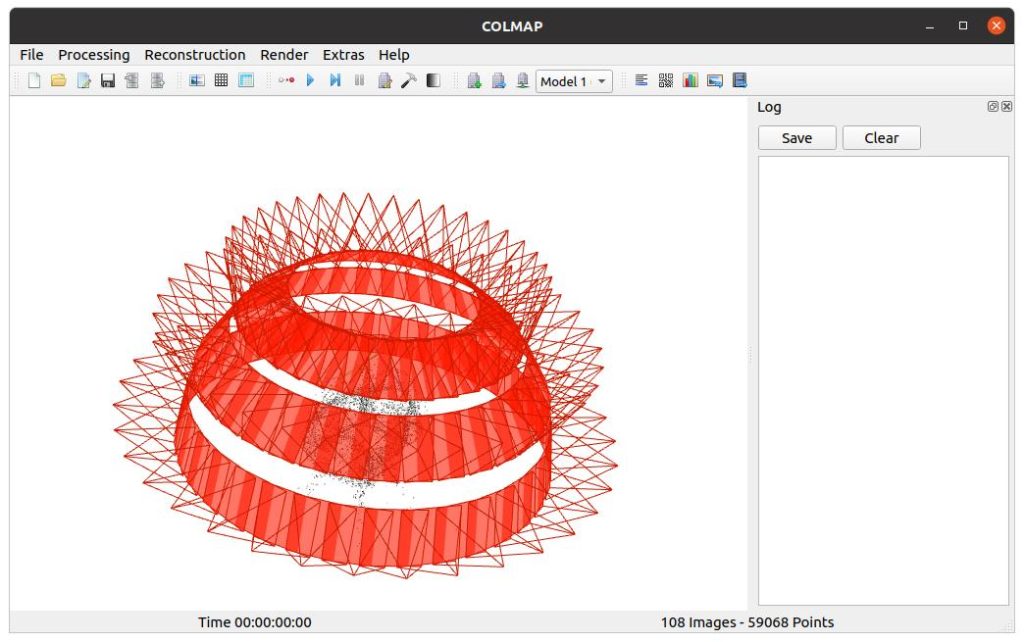
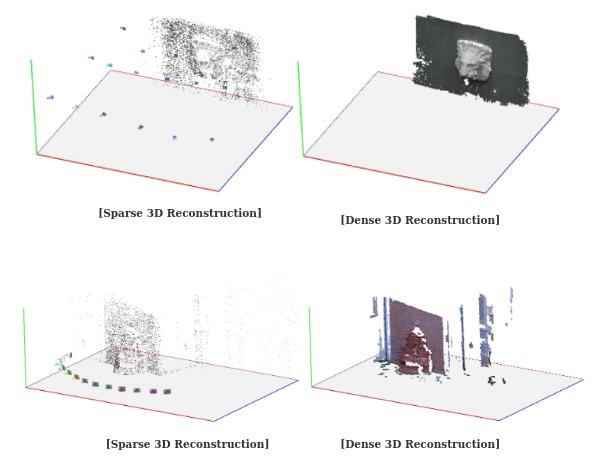
ColMap is a powerful open-source tool for Structure-from-Motion and Multi-View Stereo 3D reconstruction. Running it efficiently requires careful consideration of hardware resources because the software performs intensive computations during feature extraction, matching, bundle adjustment, and dense stereo stages. Insufficient hardware leads to extremely long processing times, out-of-memory crashes, or reduced reconstruction quality.
Modern ColMap versions benefit greatly from GPU acceleration through CUDA, particularly for large image collections. While the software can run on basic systems for small datasets, efficient performance on hundreds or thousands of images demands a balanced setup with sufficient CPU cores, ample system RAM, fast storage, and a capable NVIDIA GPU. Understanding these requirements helps users choose or upgrade hardware to achieve optimal speed and reliability.
Minimum System Requirements for ColMap
ColMap runs on all major operating systems including Windows, Linux, and macOS. For basic functionality with small datasets of fewer than 100 images, a modest system suffices.
A modern multi-core CPU such as an Intel Core i5 or AMD Ryzen 5 with at least four cores provides acceptable performance for simple reconstructions. System RAM of 16 GB allows basic SfM processing, though dense reconstruction may still struggle. Any integrated graphics or a basic discrete GPU works for the graphical user interface, but acceleration remains limited without CUDA support.
Storage needs include a standard SSD of at least 500 GB because ColMap generates large intermediate databases and point clouds. The operating system should be up to date, with Windows 10 or later, Ubuntu 20.04 or newer, or a recent macOS version.
These minimum specifications enable users to test ColMap on small projects or learn the software. However, processing times become impractical for real-world applications beyond simple objects or indoor scenes.
Recommended Hardware Specifications for Efficient Performance
For efficient ColMap operation on medium to large datasets ranging from 200 to several thousand images, stronger hardware proves essential.
CPU Recommendations A high-core-count processor delivers the best results. Aim for an Intel Core i7 or i9, or AMD Ryzen 7 or 9 with eight or more cores and high clock speeds. More cores accelerate bundle adjustment and parallelizable stages like feature extraction when GPU support is unavailable. Recent generations with strong single-thread performance also help during sequential steps of incremental reconstruction.
RAM Recommendations System memory is often the limiting factor. Start with 32 GB of RAM for datasets up to a few hundred images. For 500 to 3000 images or high-resolution photos, 64 GB becomes the practical minimum. Very large projects with tens of thousands of images may require 128 GB or more to avoid swapping to disk, which drastically slows performance.
During dense reconstruction, especially with geometric consistency enabled, memory usage increases sharply. Reducing image resolution or processing in batches can help when RAM is limited.
Storage Considerations Use a fast NVMe SSD with at least 1 TB capacity as the working drive. ColMap creates large temporary files, databases, and dense point clouds that benefit from high read and write speeds. A secondary HDD can store final outputs, but keep the project folder on fast storage to prevent bottlenecks.
GPU Requirements and CUDA Acceleration
GPU acceleration represents one of the most important factors for running ColMap efficiently. The software relies heavily on NVIDIA CUDA technology for feature extraction, matching, and parts of dense stereo reconstruction.
Minimum GPU Setup An NVIDIA GPU with CUDA compute capability 3.5 or higher and at least 4 GB of VRAM allows basic acceleration. However, this setup works best only for small projects.
Recommended GPU For efficient performance, choose an NVIDIA RTX series card with 8 GB or more VRAM. Popular options include RTX 3060, 4070, or higher models with 12 GB VRAM. Cards with 16 GB or 24 GB VRAM excel when working with high-resolution images or large collections.
The PatchMatch stereo algorithm in the dense stage is particularly memory-intensive. Enabling options such as geometric consistency can double or triple VRAM requirements. The approximate maximum GPU memory for SIFT matching can be estimated using the formula involving the maximum number of matches per image. For example, setting a high match limit may require several hundred megabytes to over a gigabyte depending on dataset size.
ColMap supports multiple GPUs during dense reconstruction, allowing distribution of workload across cards for faster processing. Recent versions also offer GPU-accelerated bundle adjustment through Ceres Solver with CUDA and cuDSS, which significantly speeds up optimization for large models.
Note that official pre-built binaries may require manual compilation from source to enable full CUDA support, especially on Linux. CUDA Toolkit version 11 or newer is recommended, with newer versions like CUDA 12.x providing better compatibility with modern GPUs.
AMD GPUs or integrated graphics do not support native CUDA acceleration. Alternative forks using OpenCL exist but generally deliver slower performance compared to NVIDIA CUDA implementations.
Operating System Specific Requirements
Windows ColMap runs well on Windows 10 and 11. Visual Studio 2019 or newer is needed when building from source. Pre-built binaries are available for easier installation. Ensure the latest NVIDIA drivers are installed for optimal CUDA performance. The graphical interface works smoothly, though heavy computations may temporarily affect system responsiveness.
Linux Linux, particularly Ubuntu 22.04 or 24.04, offers the most flexible environment for ColMap. It provides the best support for compiling with full CUDA features and running on servers or clusters without a display. Many users prefer Linux for large-scale reconstructions because it handles high memory loads and multi-GPU setups more efficiently.
macOS ColMap supports macOS, though GPU acceleration is more limited without native CUDA. Users can run the software for SfM stages, but dense reconstruction may rely more on CPU. Apple Silicon Macs work through native compilation, yet performance expectations should remain lower than on a well-equipped NVIDIA-based Windows or Linux system.
Hardware Requirements for Different Dataset Sizes
Small Datasets (under 200 images) A laptop with 16-32 GB RAM, a recent quad-core CPU, and a mid-range NVIDIA GPU with 6 GB VRAM handles these projects efficiently. Processing times range from minutes to a few hours depending on image resolution.
Medium Datasets (200 to 2000 images) Aim for 64 GB RAM, an 8-16 core CPU, and an NVIDIA GPU with at least 8-12 GB VRAM. This configuration allows reasonable processing times while maintaining high reconstruction quality. Dense stages benefit significantly from stronger GPUs.
Large Datasets (thousands of images) Professional setups require 128 GB or more RAM, high-core CPUs (16+ cores), and powerful GPUs with 16-24 GB VRAM or multiple GPUs. Techniques such as model clustering or hierarchical reconstruction help manage memory and computation for city-scale or internet photo collections. Fast storage becomes critical to avoid I/O bottlenecks.
For extremely large projects, users often employ compute servers or cloud instances with ample resources and multiple high-end GPUs.
Optimizing ColMap Performance on Limited Hardware
When top-tier hardware is unavailable, several strategies improve efficiency. Reduce the maximum image size during feature extraction to lower memory and computation demands. Disable GPU-based steps and fall back to CPU for matching if VRAM is insufficient, though this increases processing time substantially.
Use vocabulary tree matching instead of exhaustive matching for large collections to reduce pairwise comparisons. Process datasets in sub-models or clusters when possible. Lower the resolution for initial testing and increase it only for final dense reconstruction.
Monitor resource usage with system tools during runs. If the system runs out of memory, adjust parameters such as cache size for PatchMatch stereo or reduce the number of matches considered.
Regularly update ColMap and NVIDIA drivers to benefit from performance improvements and bug fixes in newer releases.
Common Hardware-Related Issues and Solutions
Users frequently encounter out-of-memory errors during dense stereo or bundle adjustment. Solutions include closing other applications, reducing image resolution, or disabling memory-heavy options like geometric consistency.
Slow processing often stems from insufficient GPU VRAM or running on CPU only. Upgrading to a CUDA-capable NVIDIA card provides the most noticeable speedup.
Overheating can occur during long reconstructions on laptops. Ensure proper cooling and consider running on a desktop system for extended sessions.
GUI freezing during feature matching is normal on systems where the GPU is heavily utilized. Running in command-line mode on headless servers avoids display-related issues.
Future-Proofing Your System for ColMap
As ColMap evolves with features like integrated global SfM through GLOMAP, learned features, and improved mesh handling, hardware demands are likely to increase. Investing in a system with at least 64 GB RAM and a modern NVIDIA GPU with 12 GB or more VRAM offers good longevity.
Consider upgradability when building a PC. Motherboards supporting higher RAM capacities and multiple GPU slots provide flexibility for future expansions.
Cloud computing platforms with GPU instances offer an alternative for occasional large projects without maintaining expensive local hardware.
Conclusion
ColMap delivers excellent 3D reconstruction results when paired with appropriate hardware. Efficient performance depends on balancing CPU cores, sufficient system RAM, fast storage, and strong NVIDIA GPU acceleration through CUDA. While minimum specifications allow basic usage, recommended configurations with 64 GB RAM and a capable RTX-series GPU ensure practical processing times and high-quality outputs for most real-world applications.